Download PDF
Operator's Handbook

xGEO

Live

How to play on PC, and how to win CLOSE PASS, your first operation, in low Earth orbit.

Alpha 0.5 · Keyboard & mouse
Welcome

Before You Play

xGEO runs in your browser. Open the game page, wait for it to load, and click inside it once so it gets your keyboard.

Contents

  1. 1The situation3
  2. 2Your console4
  3. 3Actions and stations5
  4. 4Controls6
  5. 5Walkthrough: Get your bearings7
  6. 6Walkthrough: Close in8
  7. 7Walkthrough: Stay on it9
  8. 8Endings and field notes10
  9. 9Cheat sheet11
  10. 10Words you'll see12

What you need

A PCDesktop or laptop. Phones and touch screens aren't supported.
A browserCurrent Chrome, Edge or Firefox with WebGL 2.
Mouse and keyboardA wheel or trackpad for zooming.
130 MBThe first load takes a minute. Your browser then keeps it.
1920 × 1080 or largerSmaller works, but windows overlap. F11 for full screen.

The main menu

Choose START SCENARIO. The game starts paused, with the tutorial on.

First time?Follow the tutorial card in the game. Each step names one thing to do and carries you to a win. This handbook is the same plan on paper.
xGEO Live · Operator's Handbook2
1 · The situation

Low Earth Orbit, October 2026
Your orders

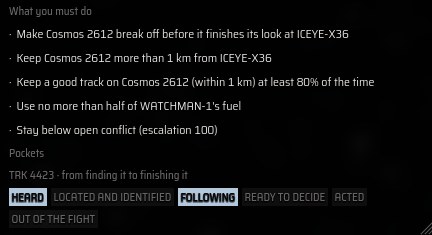
A Russian inspector is creeping up on ICEYE-X36, a US radar satellite. Make it leave. You have no weapons. No war.

Who's who

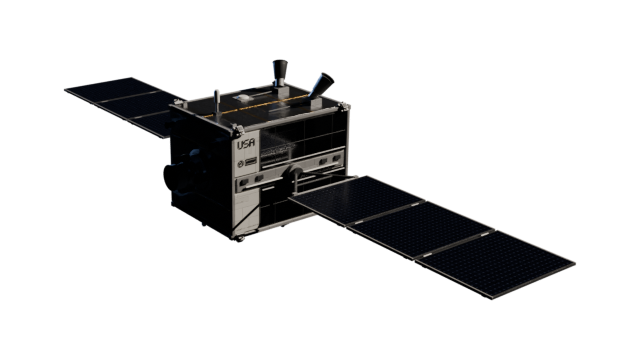
YOU · BLUE

WATCHMAN-1

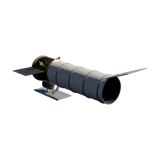
Your inspector. No weapons: an engine, a telescope and a radio receiver. About 260 m/s of fuel for two days.
PROTECT · GREEN

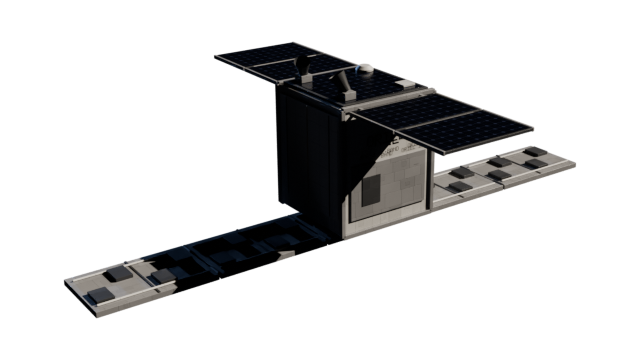
ICEYE-X36

A US radar satellite that takes pictures of the ground. It has no engine, so it can't get out of the way.
THE INSPECTOR · RED

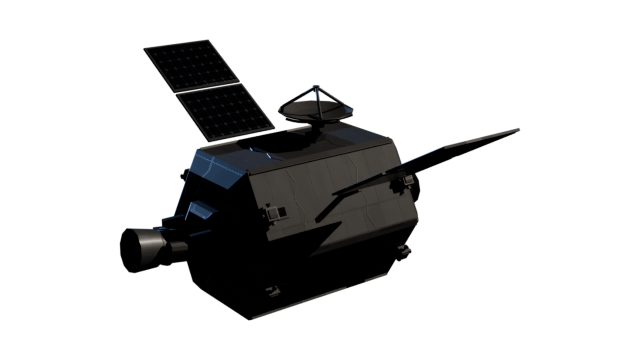
COSMOS 2612 · TRK 4423

Parked 5 km behind X36. It plans three moves to study X36 up close, then goes home with what it came for.
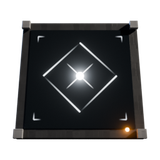
YOUR EYES · BLUE

FIVE GROUND RADARS

Radar sites in Alaska, Texas, Arizona, New Zealand and the Pacific. Each sees it only while it passes overhead.

How you win
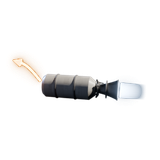
Fly to itPlot move, then Match orbit
5 km
Crowd itCome that close and it gives way
It leavesCrowd it again until it gives up

You lose if

It finishesall three of its moves round X36
Escalationreaches 100: open conflict
Score more:keep it over 1 km from X36
Score more:keep a good track on it 80% of the time
Score more:use no more than half your fuel
Press F1 in the game to see these goals.
The situation3
2 · Your console

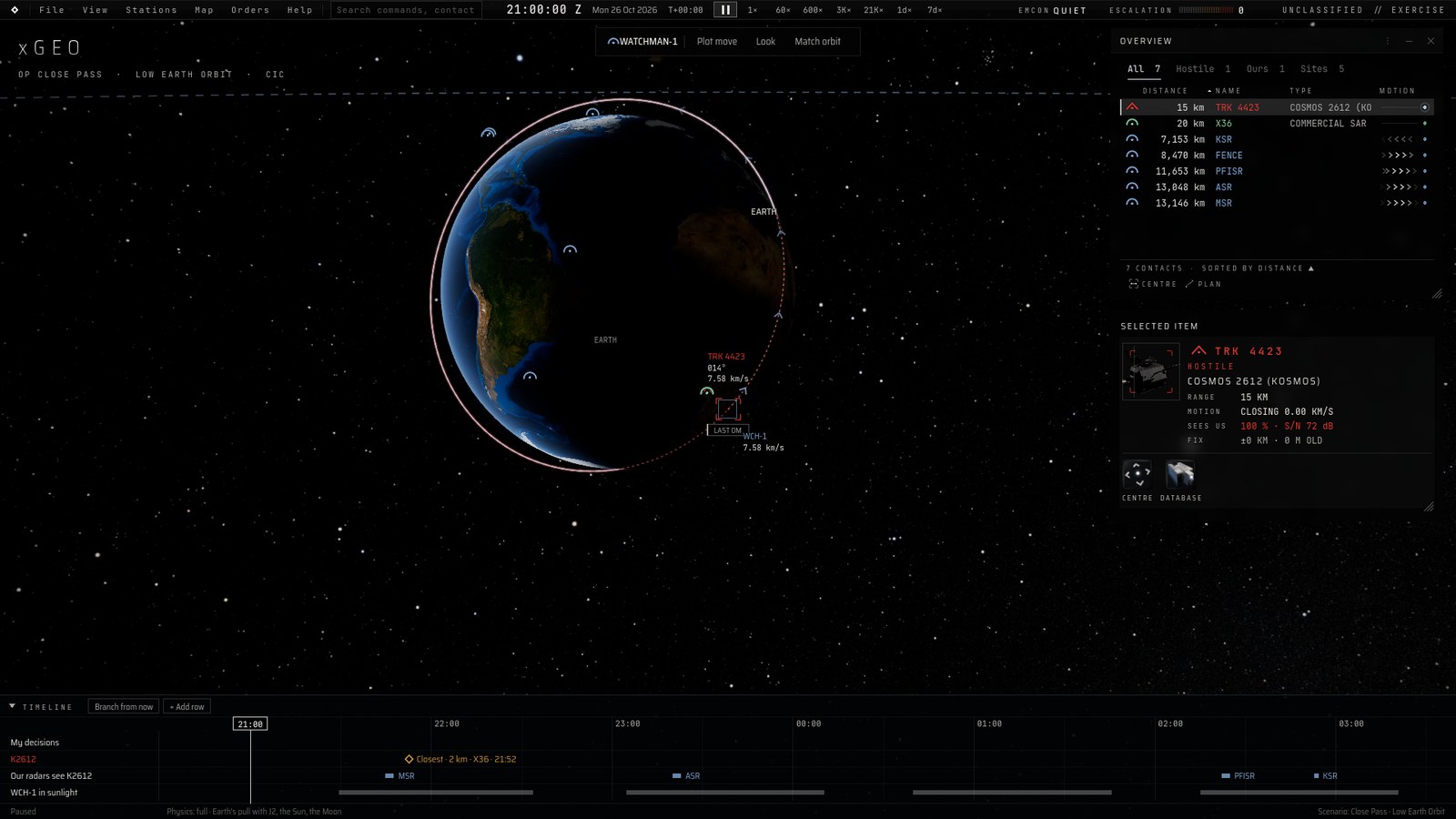
One Screen, Nine Parts

Hover over anything in the game and a card explains it.

The xGEO console over the Earth. 123 456 789
1
3-D viewThe Earth and every craft you know of. Drag to turn it, scroll to zoom.
6
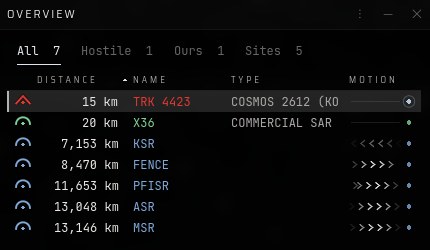
OverviewEvery contact, nearest first. Click a row to select it.
2
Menu barFile, View, Stations, Map, Orders, Help: every command, with its key.
7
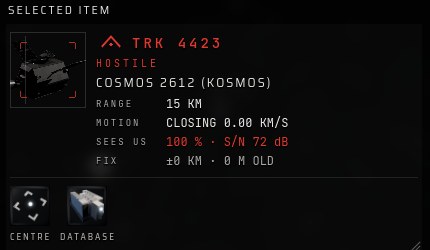
Selected itemAll you know about the contact you picked: range, motion, whether it sees you.
3
ClockThe date and time (Z is UTC). Pause, or run up to a week a second.
8
A contactTRK 4423 is Cosmos 2612. The ring round it shows how unsure you are of where it is.
4
EMCON & escalationQUIET means you only listen. Escalation 100 loses.
9
TimelineWhat's coming: its closest pass to X36, when our radars see it, when you're in sunlight.
5
Action barThe ship you act from, and its orders: Plot move, Look, Match orbit.
MAP COLOURS Blue · oursGreen · protectedYellow · unknownRed · hostileDashed · its predicted path
Your console4
3 · Actions and stations

The Action Bar

WATCHMAN-1 has three orders, on the bar at the top and on keys 1 to 3. None of them is a weapon.

1
PLOT MOVEOpen the planner on your targetUses fuel
2
LOOKPoint the telescope at it. The I key does it tooQuiet
3
MATCH ORBITBrake alongside your targetUses fuel
RIGHT-CLICK
ITS OPTIONSRight-click a contact: every order against it, and its price
The action bar: WATCHMAN-1, Plot move, Look, Match orbit.

A grey order can't be done now: hover over it to see why. The Orders menu lists the same three, with their keys.

Stations

F1
CAMPAIGNYour goals
F2
SIGINTListen, identify
F3
PLANNERPlan a move
F4
OVERVIEWAll contacts
F5
DATABASEEvery craft and sensor
F6
TRACKERA ground camera
F7
HEATWhen you're seen
L
LAYERSWhat's drawn
STATIONS
SIGNALSAll you've heard
STATIONS
SOLARSun, Earth, Moon
VIEW MENU
TERMSPlain or military
ANY NUMBER
DETAILSThe maths

STATIONS and VIEW MENU: no key. Open them from the menu bar along the top. ANY NUMBER: click a number and it opens to show how it is worked out. Esc always closes the last window you opened.

Actions and stations5
4 · Controls

Keys and Mouse

Only the coloured keys matter. Some browsers keep F1–F7 for themselves until you have clicked inside the game.

EscBACKF1GOALSF2SIGINTF3PLANF4OVERVWF5DATAF6TRACKERF7HEATF8F9F10F11F12`1PLOT2LOOK3MATCH4567890-=BackTabNEXT SHIPQZOOM −WTURNEZOOM +RTYUILOOKOP[SLOWER]FASTER\CapsATURNSTURNDTURNFCLOSE-UPGHJKLLAYERS;'EnterShiftFASTER TURNZXCVBNM,./ShiftCtrlWinAltSpacePAUSE / RESUMEAltFnCtrl
TimeMoving the viewStationsOrdersLooking
Left drag · clickTurn the view · select a contact
Right drag · clickSlide the view (middle drag too) · right-click a contact for every option and its price
WheelZoom; keep going out to see the Moon's orbit
Double-clickCentre on a ship and follow it round the Earth

Inside SIGINT (F2)

↑ ↓ pick a recording   D find direction   I identify   B next band

Time

Space pause and resume   [ ] slower and faster. One trip round the Earth takes about 95 minutes. Use 60× near a target, 600–3,600× while you wait, and pause to think.

Controls6
5 · Walkthrough

Part 1: Get Your Bearings

Your orders

It reports home by radio as it passes over Moscow. Know where everyone is, and hear it, before you move.

1Meet the players
Click X36, then TRK 4423, in the Overview

X36 is the satellite you protect. TRK 4423 is Cosmos 2612, 15 km away. You start 20 km behind X36.

2Read your goals
Press F1 Campaign

Five goals. Fail either of the two that lose the game and the mission is over. Esc closes it.

3Start the clock
] faster · Space pause

Run at 60×. The timeline at the bottom shows when Cosmos 2612 gets closest to X36, when our radars see it, and when you're in sunlight.

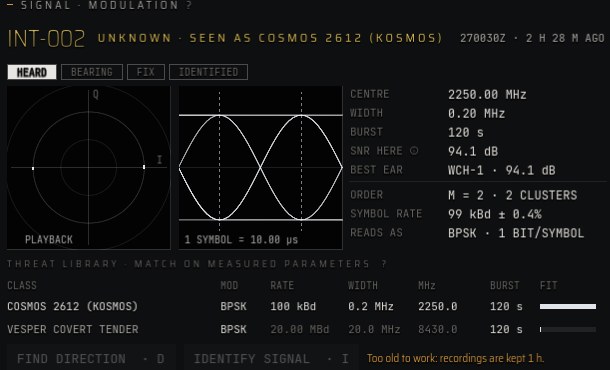
4Hear it
F2 then click its newest report

Each report is a two-minute radio burst. Recordings are kept one hour, so pick a fresh one. Speed time up while you wait.

5Identify it
IDENTIFY SIGNAL · I

Matches the burst to a known radio: now you know it is Cosmos 2612 talking. Optional, but it is how you learn what you're up against.

Walkthrough · Get your bearings7
6 · Walkthrough

Part 2: Close In

Your orders

Get alongside it. The planner does the orbital maths; you choose how fast and how much fuel. Arriving isn't stopping: Match orbit stops you.

6Plot a move
Select TRK 4423 · 1 Plot move

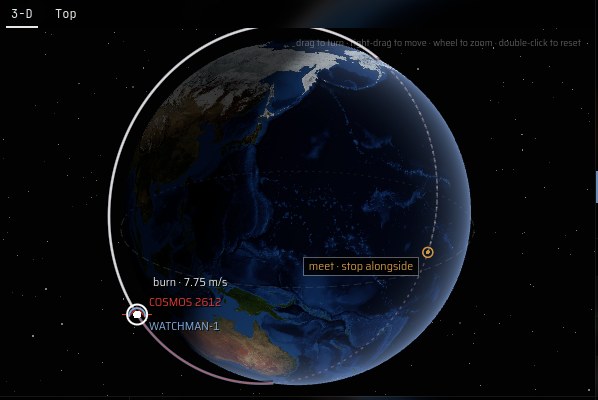
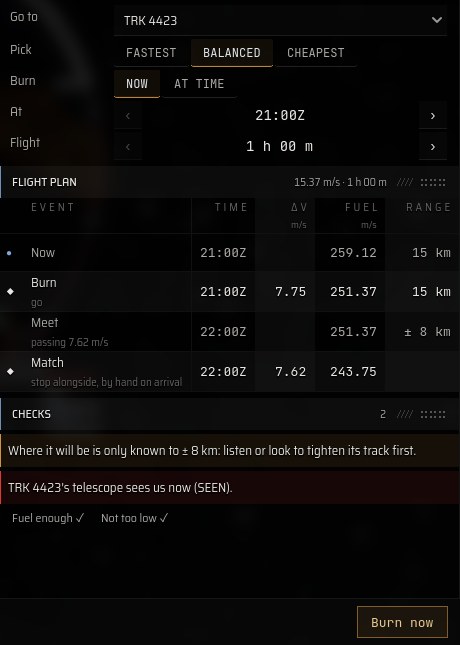
The planner opens on its OPERATIONAL tab: go to a target. The picture shows your path there.

7Pick and burn
BALANCED · Burn now

At the start, BALANCED flies there in an hour for 7.75 m/s, then 7.62 m/s to stop. FASTEST costs more; CHEAPEST takes longer. CHECKS warns you of anything to fix.

8Look at it
Select TRK 4423 · 2 Look · Esc closes

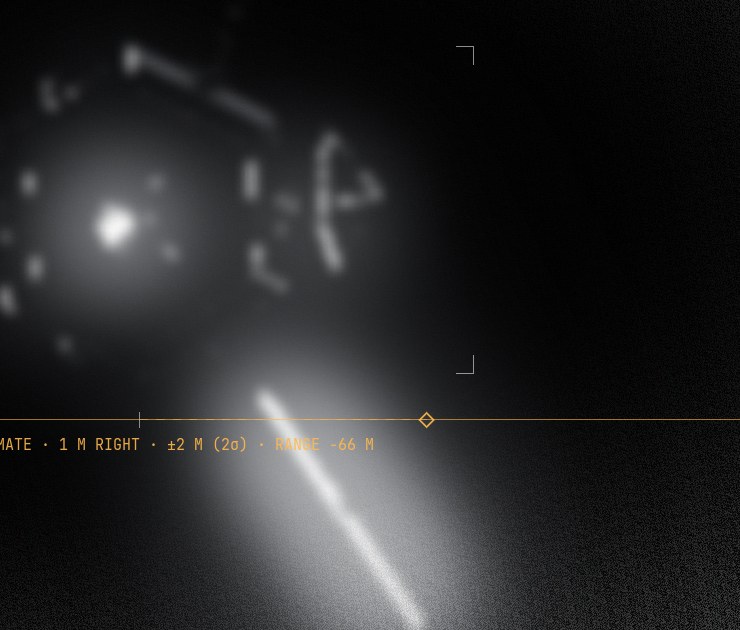
Close in and in sunlight, the telescope sees its hull. In Earth's shadow it sees nothing: wait for the sun.

9Match orbit
Press 3 Match orbit on arrival

Brakes you onto its orbit, right beside it. Stop within 5 km of it.

FuelAbout 260 m/s for two days, and no refuelling. To score the fuel goal, use no more than half. Small moves early cost less than big ones late.
Walkthrough · Close in8
7 · Walkthrough

Part 3: Stay On It

TRK 4423 · how it behaves

It keeps 5 km clear round itself. Crowd it while it's parked and it moves away. Leave it alone and it creeps closer to X36.

10Crowd it
Park within 5 km of it

It has to see you: the Selected item shows SEES US. It gives way to a new spot about 8 km off, on the far side of X36.

11Follow it
1 Plot move again · 3 Match orbit

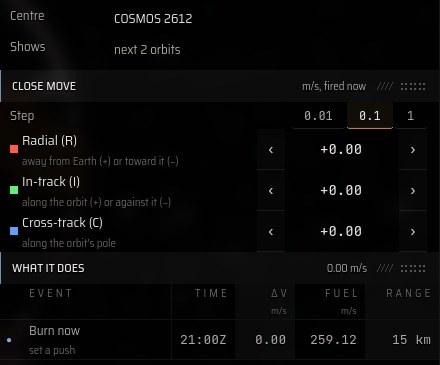
For a short hop, use the TACTICAL tab: small pushes by hand, up or down (R), forward or back (I), sideways (C). They fire when you press Burn now.

12Mind the gap
Stay more than 1 km from it

Each time you crowd it adds 5 escalation. Inside 1 km of it, escalation climbs 12 an hour. Watch ESCALATION, top right.

13See it off
Crowd it again until it leaves

It gives way twice. The third time, it gives up, climbs to a higher orbit and drifts away. (In the tutorial it leaves the second time.) Let time run to the debrief.

It went closer to X36?When none of ours is within 50 km, it moves in on X36 each time it moves. Stay near it, and it keeps its distance.
Walkthrough · Stay on it9
8 · After the operation

Endings

The debrief gives you a score out of 100, says which goal decided it, and what to try next time.

Cosmos 2612 leavesCrowded one time too many, it gave up, climbed away and left. No weapons, no war, X36 untouched.
It finished its lookAll three of its moves done. Try: get alongside sooner and stay within 50 km.
Open conflictEscalation reached 100. Try: keep more than 1 km from it; don't crowd it more than you need.
Time ran outTwo days passed with it still at work: half marks for stopping it. Try: crowd it earlier.
A low scoreOut of 100: 40 for making it leave, 20 for keeping it off X36, 20 for the track, 10 for fuel, 10 for peace.

Field notes

It watches youIts telescope can see you too. The planner's CHECKS say when.
Use the sunlightYour telescope needs it lit. The timeline shows when.
A track is a beliefRadars see it only on passes. Your telescope fills the gaps.
Small moves earlyPlan the cheapest first, and let the orbit do the work.
Pick the right speed60× near it, faster while you wait.
Click any numberIt opens to show how it's worked out.

How tension builds

It parks by X36+3 each time
You crowd it+5 each time
Inside 1 km of it+12 per hour
It turns cautiousAt 25
Ready to leaveAt 50
Open conflict100: you lose

At 25 it turns cautious: it gives way once fewer and stops creeping in. At 50 it leaves the next time you crowd it. Pressing hard wins sooner, at a price.

Endings and field notes10
9 · Cheat sheet

On One Page

Print this page and keep it beside the keyboard.

The winning order

  1. Click X36, then TRK 4423, in the Overview
  2. F1 read your goals
  3. ] speed time up to 60×
  4. F2 click its newest report
  5. I identify its signal
  6. Select TRK 4423 · 1 Plot move
  7. BALANCED · Burn now
  8. 2 Look at it in sunlight
  9. 3 Match orbit within 5 km
  10. It gives way: plot and match again
  11. Crowd it until it leaves; stay over 1 km off

Win and lose

Win
It leaves before it finishes its look at X36
Lose
It finishes its three moves · escalation 100
Score
It stays over 1 km from X36 · a good track 80% of the time · half your fuel or less

Keys

Space
Pause / resume
[ ]
Slower / faster
F1
Campaign goals
F2
SIGINT station
F3
Planner
F4
Overview
F5
Database
F6
Ground tracker
F7
Heat forecast
L
Map layers
I
Look through the telescope
F
Close-up of the selected craft
Tab
Next ship
WASD
Turn the view
Q E
Zoom
Esc
Back / menu

The action bar

1
Plot move
2
Look
3
Match orbit

Tension

+5
Each time you crowd it
+12/h
While you're inside 1 km of it
+3
It parks inside 1 km of X36
100
Open conflict: you lose
Cheat sheet11
10 · Words you'll see

Glossary

Terms, in the VIEW menu on the menu bar, switches the game between plain words and military ones.

ΔvHow much you can still change your speed: your fuel, in m/s.
TrackWhat you believe about a contact. Its ring shows how unsure you are.
RendezvousReaching another craft. Matching its orbit so you stay is the second half.
RPORendezvous and proximity operations: one craft manoeuvring close to another.
Keep-out zoneThe space a craft keeps clear round itself. Cosmos 2612's is 5 km.
CustodyKeeping a good track: knowing where it is to within 1 km.
R · I · CRadial (up or down), in-track (forward or back), cross-track (sideways).
Earth's shadowThe part of each orbit the Sun can't reach. A craft there can't be seen by telescope.
SIGINTSignals intelligence: listening to other people's radio.
EMCONEmission control. QUIET means you only listen.
EscalationHow close the crisis is to open conflict. 100 is the end.
ZTime in UTC, the clock the whole world's satellites run on.
xGEO Live Operator's Handbook · Alpha 0.5. Play at kw-wargame.github.io/xgeo/game/. How the models work, with sources: xGEO Core, the research edition, at kw-wargame.github.io/satwar-releases-playtest/research/.

© 2026 Kevin Williamson. All rights reserved. xGEO is an independent educational project. ICEYE-X36 and Cosmos 2612 are real satellites, flown from their public orbits and specs, and the ground radars are real sites. WATCHMAN-1 is invented, and what happens in the game is fiction. Their operators have not reviewed or endorsed this game.
Glossary12